NORA AI Assistant
Overview of the process of implementing a chatbot into Navigate360's products.
Project- Chatbox Design and Implementation
Navigate360 is adding the chatbot NORA to their products. NORA stands for Navigate360’s Optimized Response Assistance.
This chatbox will assist users in using Navigate360 products and provide information related to their school districts.
Details
Role: UX/UI designer
Tools: Figma
Team: Product managers, business analysts, and developers across six products and data science
Project Goal
To provide users:
-fast access to our products' knowledge base to help them understand our products, which will decrease the outreach to customer support
- the ability to find important information related to their school district to help them do their jobs faster
Who are we desiging for?
Administrators:
District Admins/Principals/Assistant Principals
Staff:
Teachers, Administrative Assistants, Nurses, Safety Resource Officers
Version Evolution
We've had three different versions for the dialog box design.
Version 1
Smaller pop-up, sits sticky bottom right window
Problem- not enough space to read information vertically. The dialog box is only 500 pixels in height.
Version 2
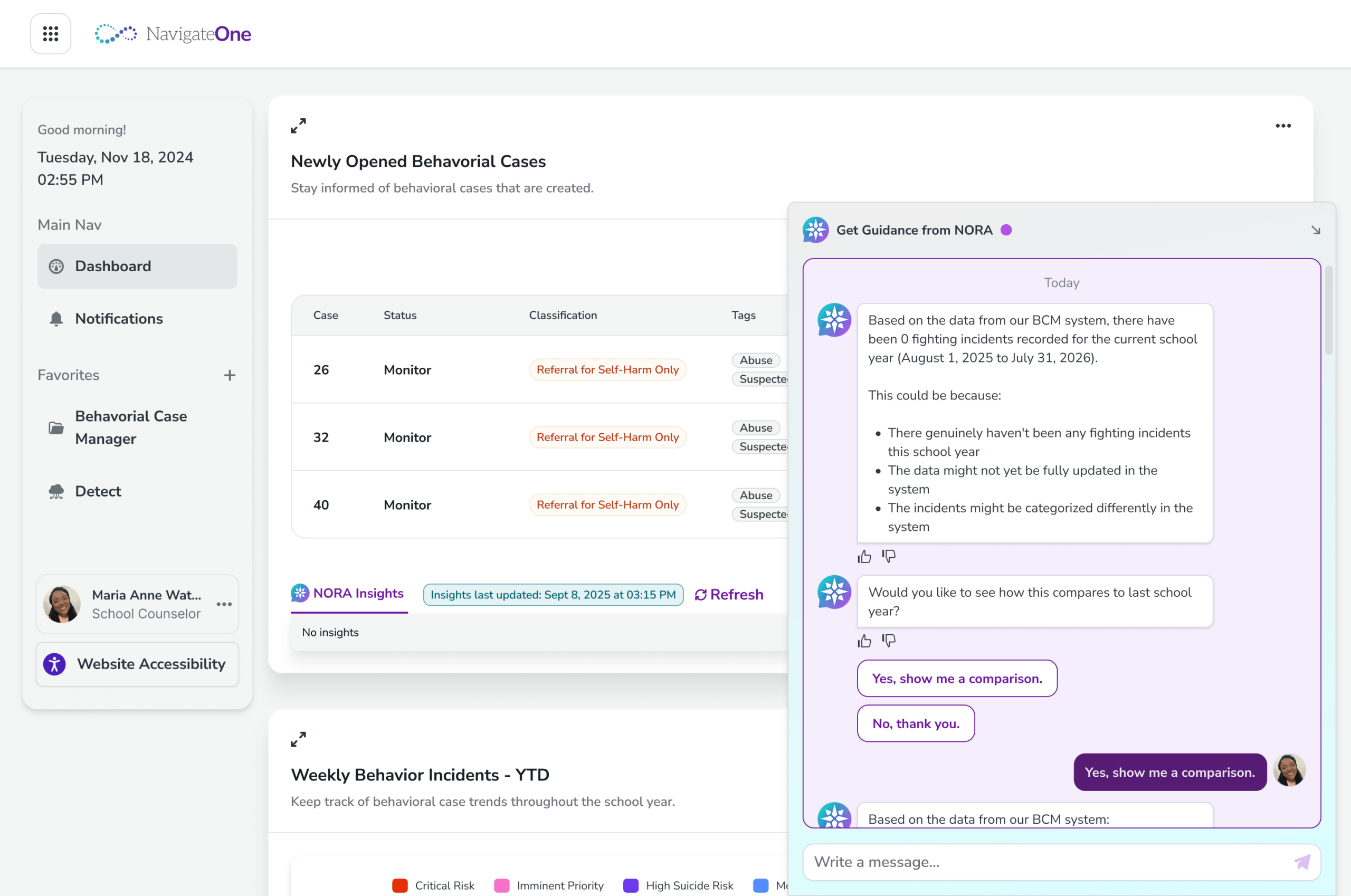
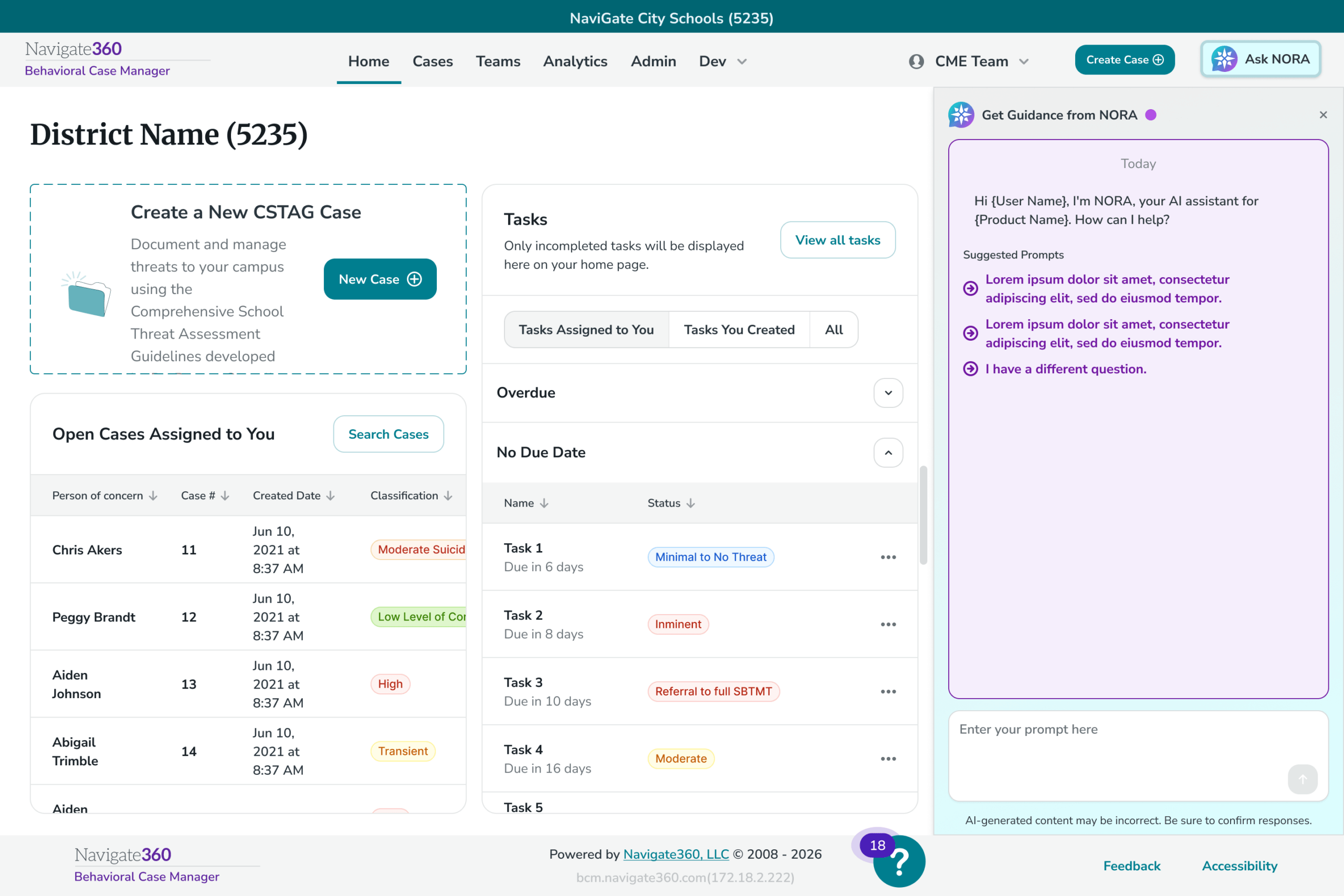
Full length vertical panel
Most common UX pattern right now is keeping chat and content on same screen
Why this is better than version 1- can see more content within the dialog box, and not covering product content behind the dialog box
Problem- not all products were built to be responsive when NORA is open. Content is supposed to be usable when NORA is open.
Version 3 (current version)
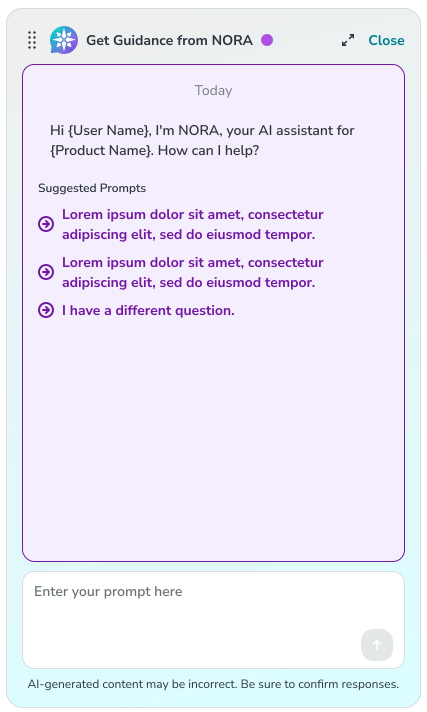
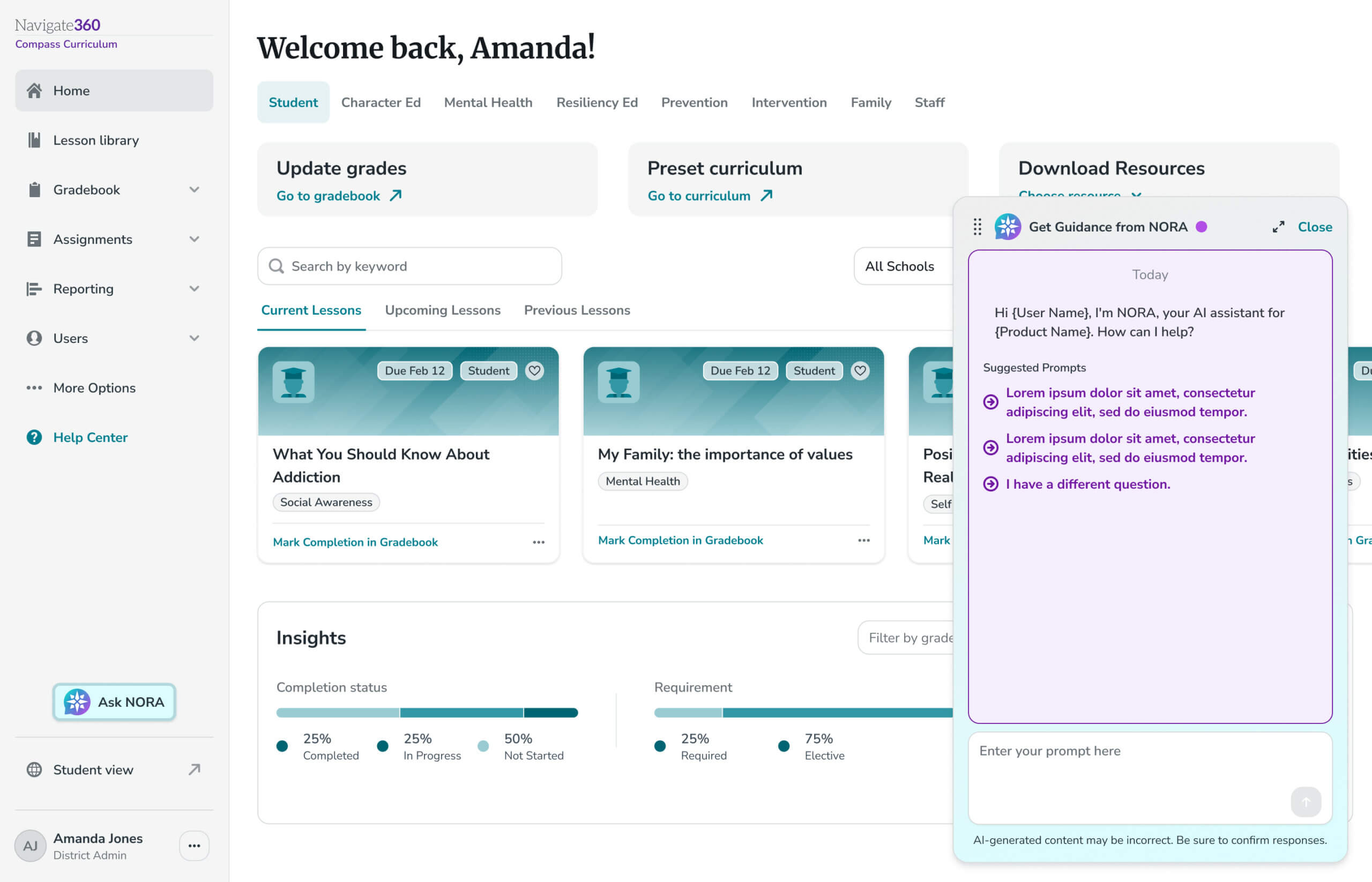
Floating dialog box
Why this approach works:
This approach maintains a larger viewing area so users can see more of the conversation while keeping NORA accessible. The movable dialog box allows users to reposition NORA as needed while continuing to interact with the product in the background.
It also prevents content from shifting or becoming compressed, which is especially important for products that aren't fully responsive or pages that already contain numerous interface elements.
Two Different Sizes
Floating dialog box with two sizes: 415px by 700px and 820px by 700px
Started with two sizes since completely adjustable sizing is hard to implement based on our deadline to implement.
Larger for workspace mode, especially when we start to implement charts and graphs.
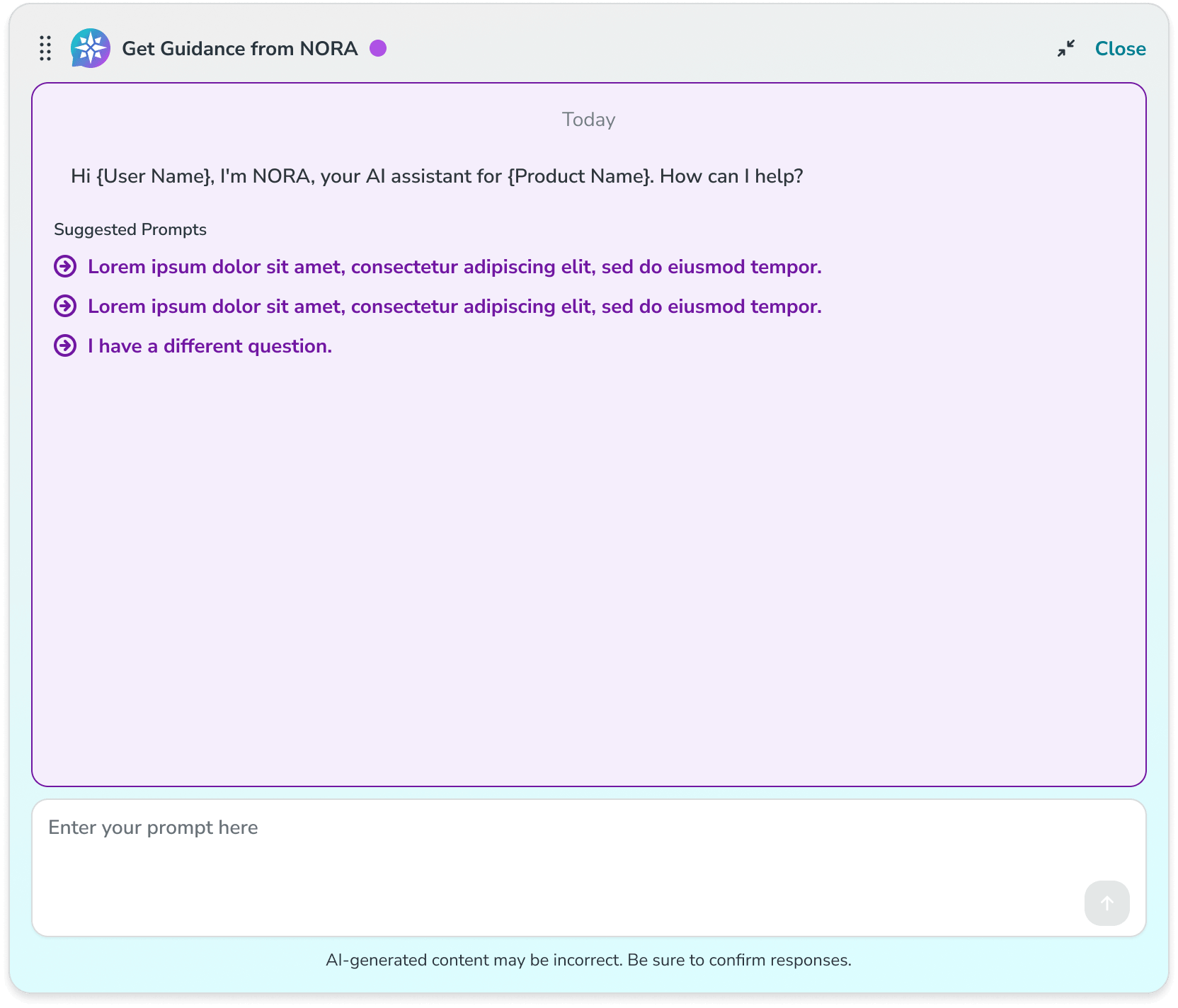
Dialog Box UI Components and Layout
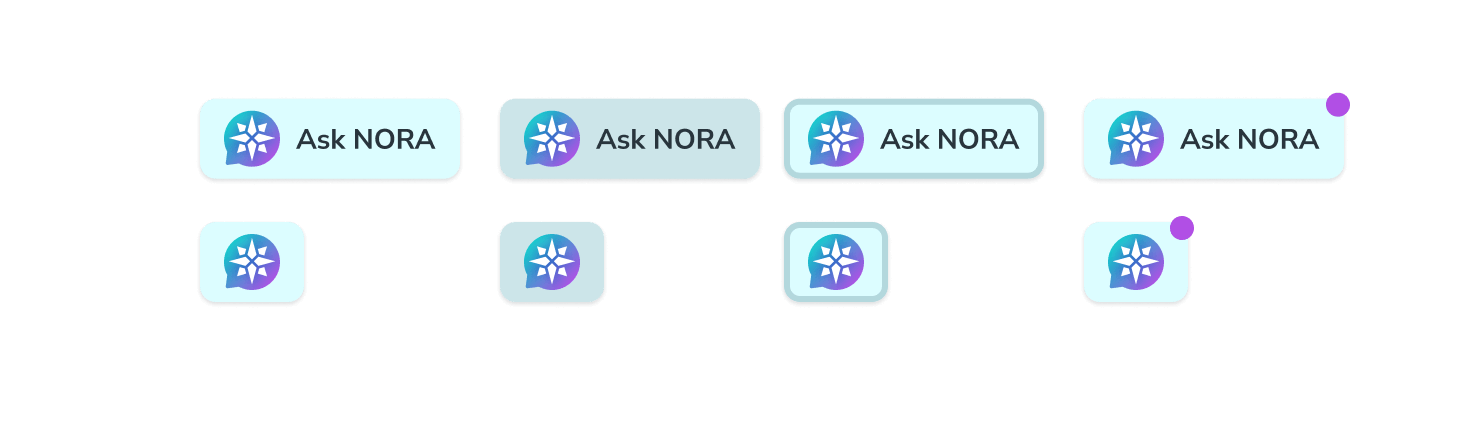
NORA access buttons
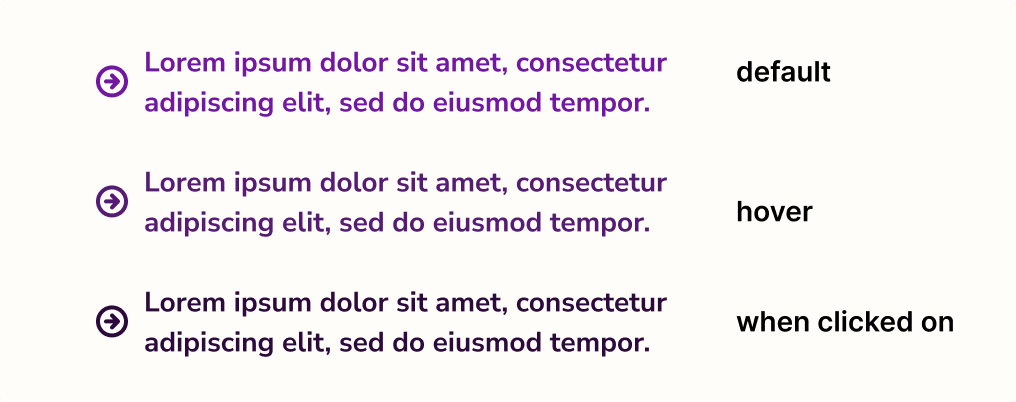
Provided prompt states
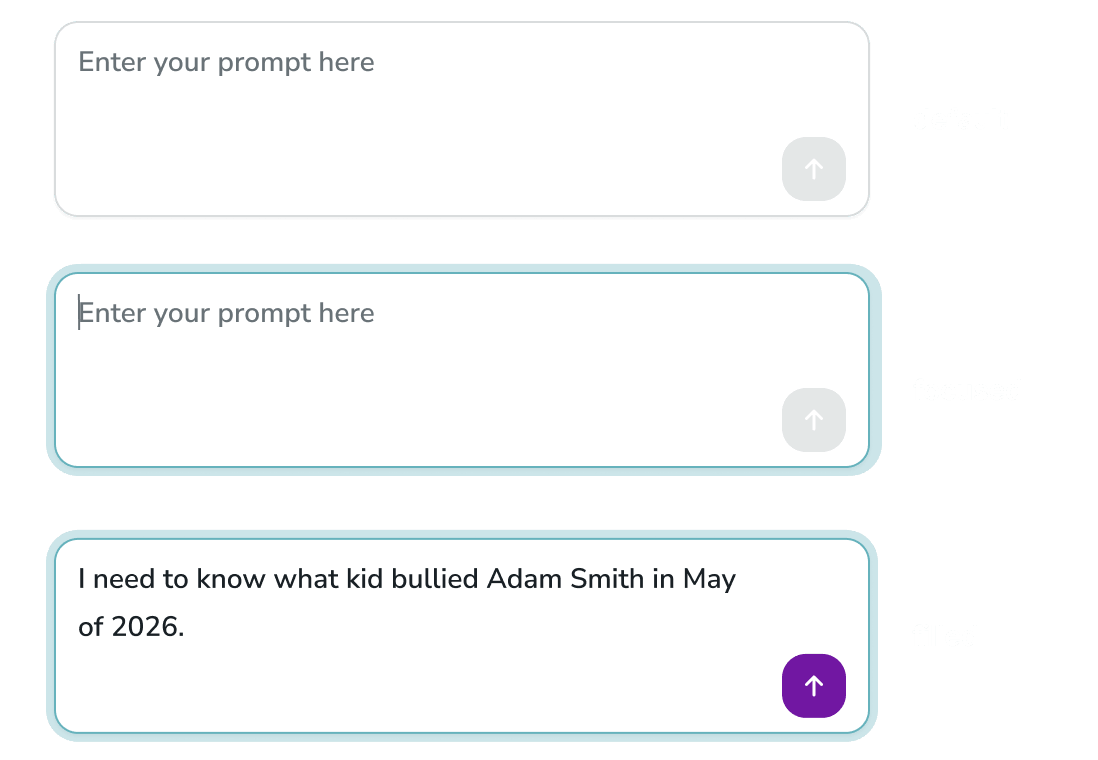
Input field states
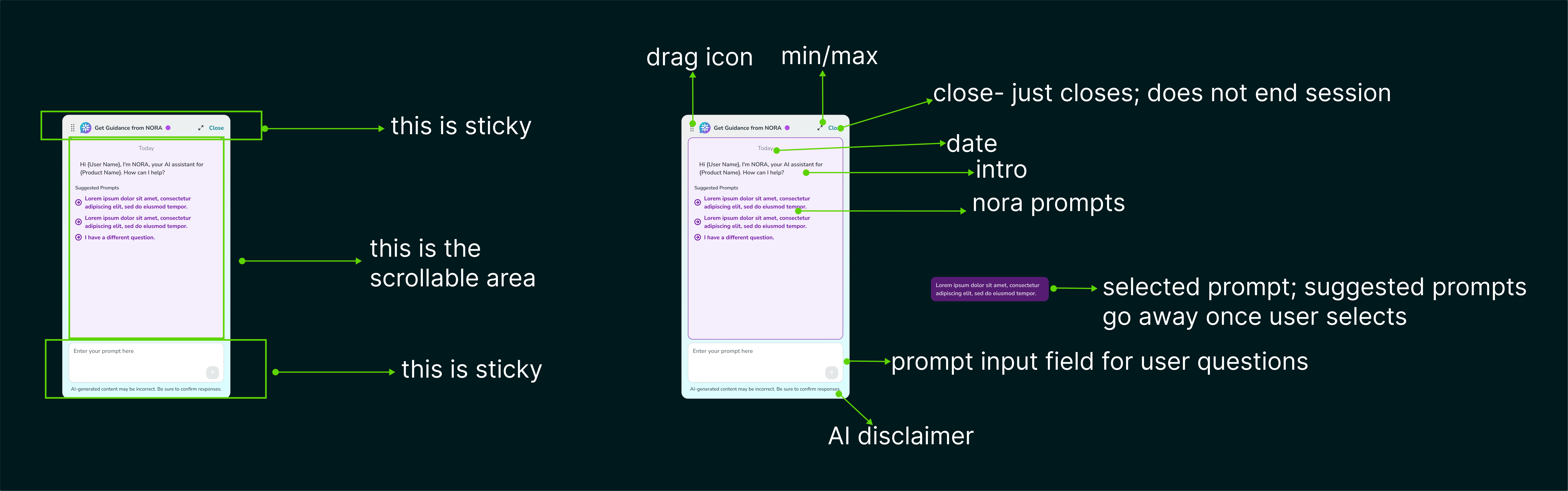
Floating dialog box sizes
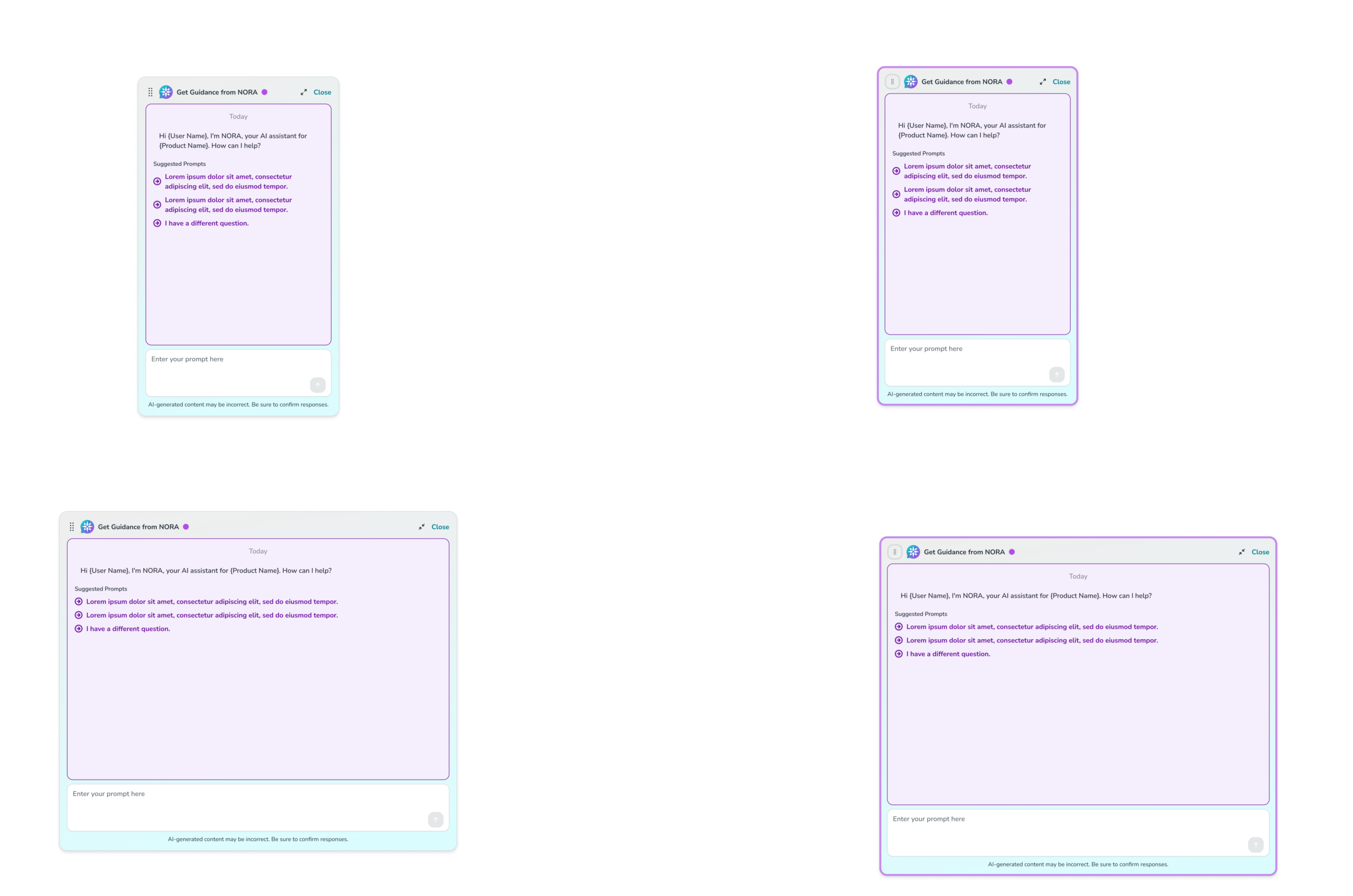
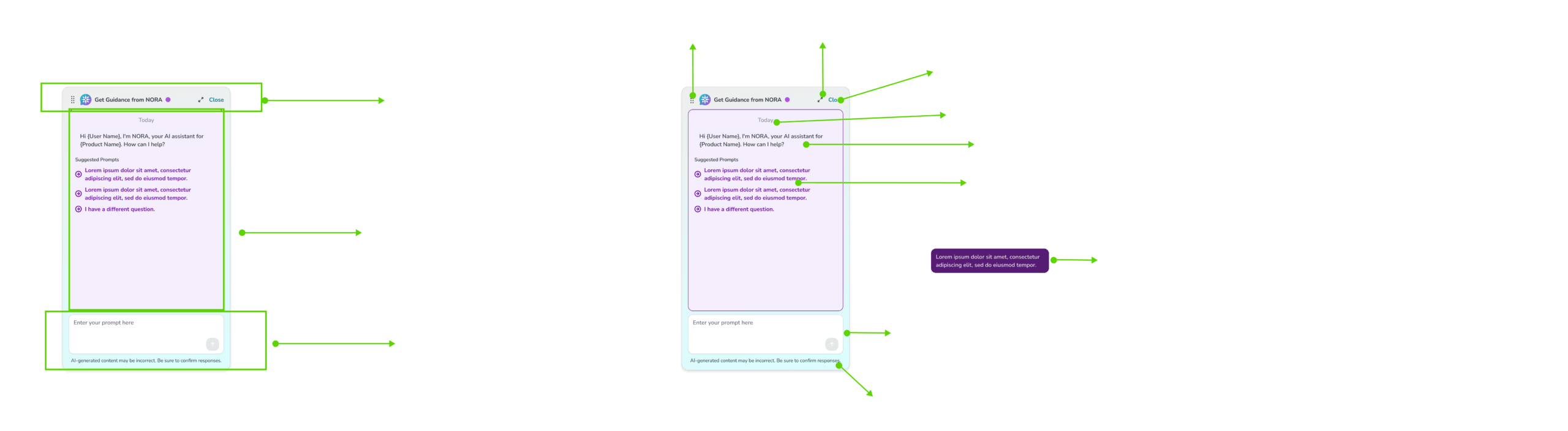
Anatomy
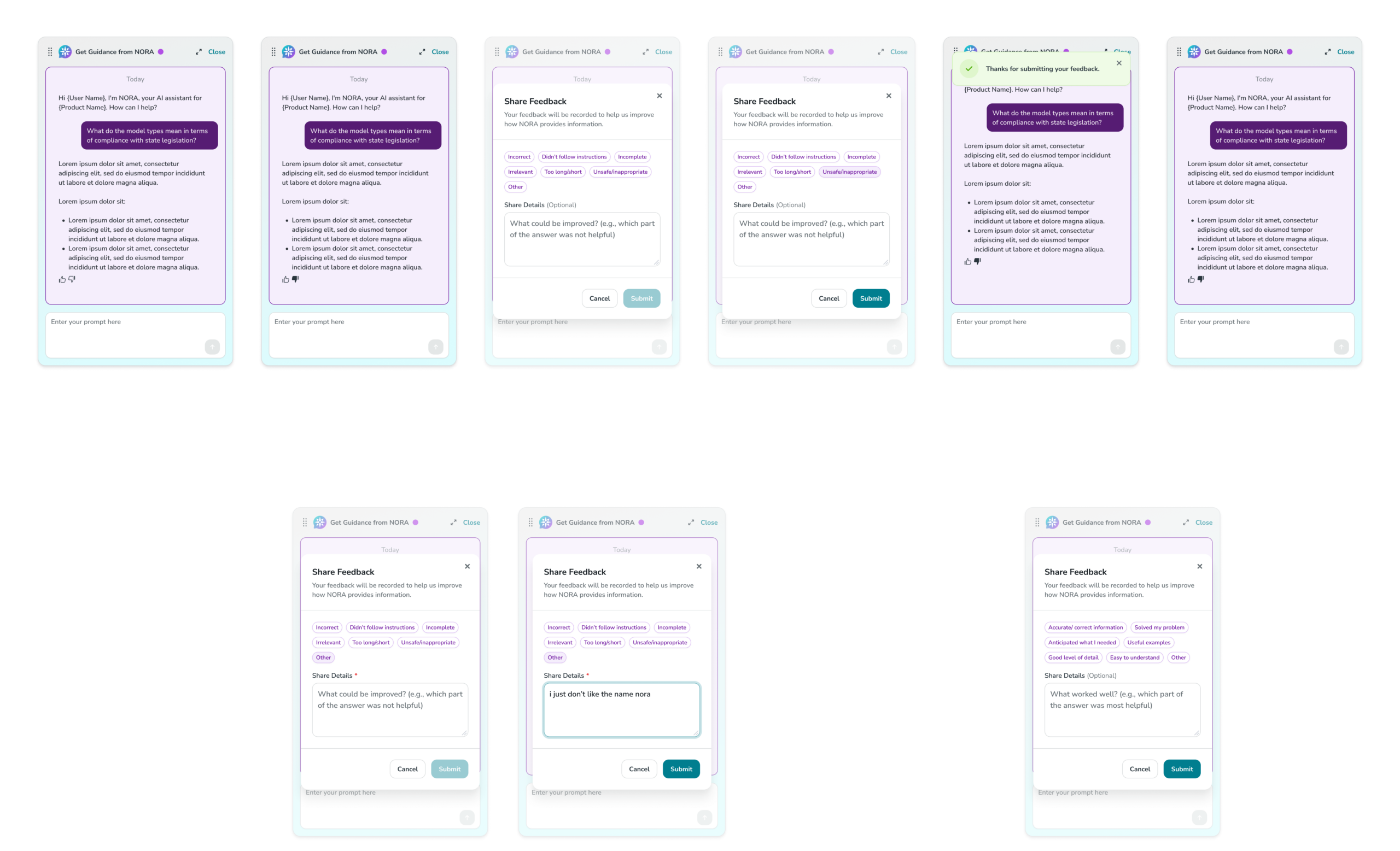
Thumbs Up/Down Feedback for NORA Response
If "other" is selected, the user needs to provide information.
This ensures qualitative feedback is actionable for the data science team.
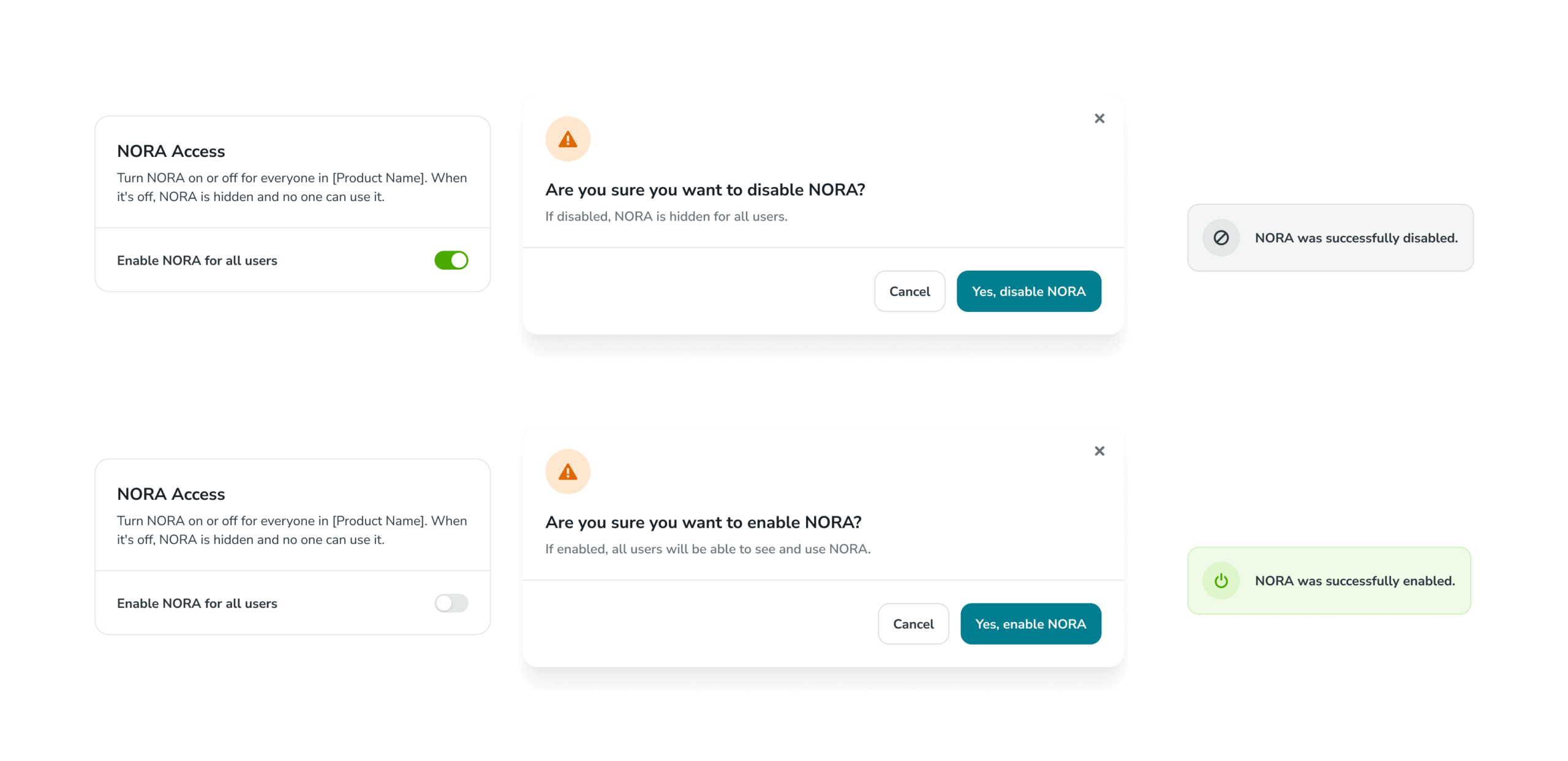
Need the Ability to Disable NORA in Product
Not all schools are permitted to use AI
Next Steps
User Feedback
We'll begin getting feedback with users from one of our products where NORA has already been
implemented with version 2 (NORA full screen height, sticky to the right).
Version 3 Implementation into All Products
All products are in the process of implementing version 3 of NORA (floating resizable dialog box).
Possible Future Enhancements
Current state:
Conversation is saved just for one day
Future enhancement idea:
Conversation saved up to a month, then eventually save all separate conversations for access/reference points
Current state:
NORA doesn't always end her response with an actionable question for the user. This can cause the conversation to die.
Future enhancement:
Instruct NORA to encourage the conversation to continue with the user by ending her responses with questions like, "Would you like...?", so the user is provided guidance and the conversation doesn't die.
Current state:
Only two sizes for the floating dialog box
Future enhancement:
Making the dialog box resizable in the ways the user prefers